Official Zoome Casino App for iOS and Android
Now, you can enjoy top casino games in New Zealand like Royal Roulette (Iconic21) and Fun Tiger (PG Soft) conveniently on the go. And, when you win, cash out your earnings just as easily with Mastercard, Skrill, BTC and a dozen other reputable payment providers. The Zoome Casino app combines all the comforts of gambling on PC with the flexibility and mobility of smartphones. With the mobile software of ZoomeCasino, nothing keeps you from enjoying comfortable and profitable sessions, no matter where you find yourself.
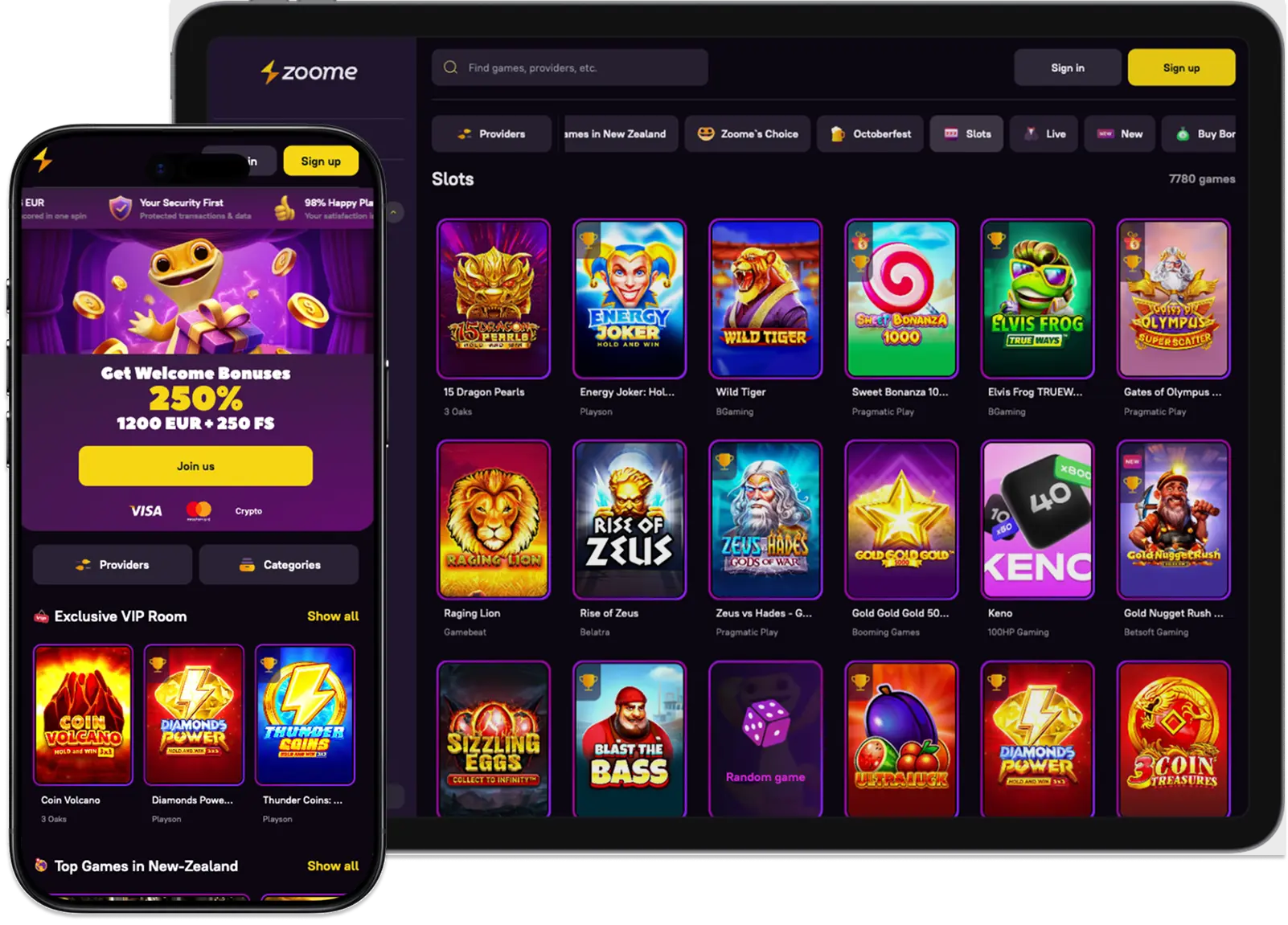
How to Use Our App
All you have to do on the complete the Zoome Casino app download procedure on your Android and iOS devices. Launch the program and select “Sign Up” or “Sign In”. You’ll be able to access all our games, payment solutions and much more.
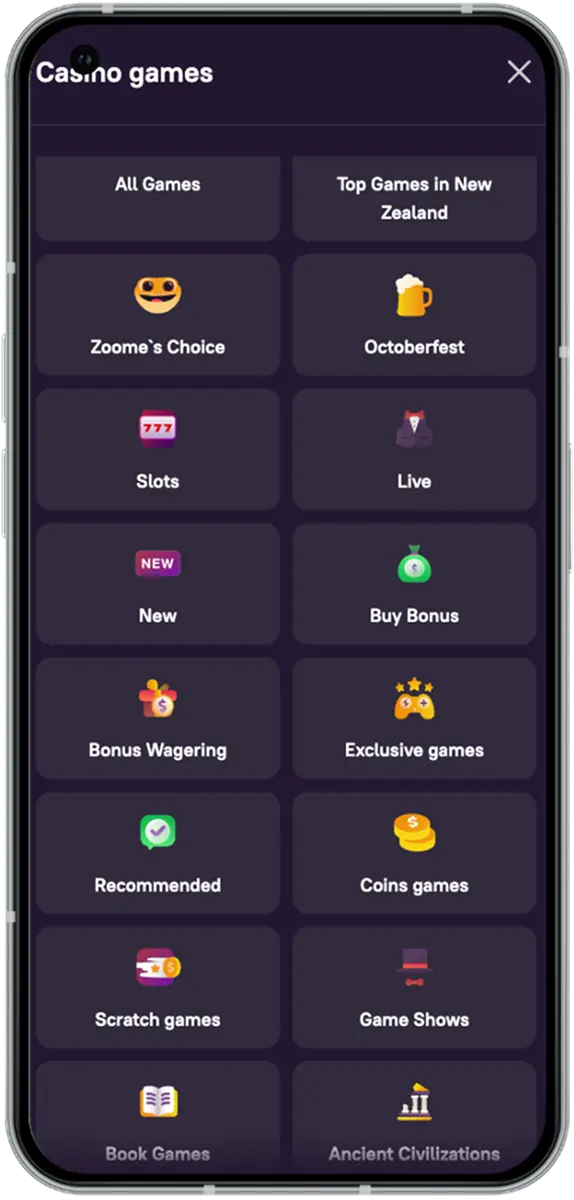
New Zealanders can find their favourite titles simply by using our advanced search bar. Or, you can see all 12,900+ entries when you tap “All Games” in the sidebar menu. Click on any selection that catches your eye to open the entry right on the Zoome app. If you want to win real money, you can start your session right away. To play for free, just choose the “Real Mode” button at the top of the game first.
Fund your bankroll just as easily by clicking the “Deposit” button. There are over 15 payment methods you can leverage to control your bankroll.
Download Zoome Casino App on Android
The fastest way to start mobile playing on any Android device is through the website. Visit our casino on your smartphone and click on the three horizontal bars at the top-left corner of your screen. This opens the sidebar menu, where you’ll find the “Install the App” button. Select this and confirm that you want the program when the Zoome Casino app download pop-up appears.
The Zoome mobile app will appear on your home screen. From that point, you have direct access to our casino on the go.
How to Download the Mobile App on iOS
Getting our mobile program on iPhones and iPads is just as easy. Once you access the platform with your device, you only need to go to the sidebar menu. Click on the “Install the App” button and confirm Zoome Casino app download free. You can complete this exercise in less than a minute.
Alternatively, you can get it on your iOS, just by accessing the menu bar once you’re on our site. Select the “Add to Home Screen” button, and a shortcut of our software will be sent straight to your phone’s menu.
Zoome Mobile App Supported Devices
Our gaming software for New Zealanders is designed to be compatible with most mobile devices. Your smartphone just needs to meet some performance requirements. This is to ensure that the software runs without a glitch. The basic benchmarks devices need to meet to use the Zoome app are:
| Features | Android | iOS |
| RAM | 1 GB | 1 GB |
| ROM | 1 GB | 1 GB |
| Operating System (OS) | Android 10.0 | iOS 14.0 |
| Processor | 1.60 GHz | 1.0 GHz |
| Connectivity | 3G or Wi-Fi | 3G or Wi-Fi |
Devices that meet these standards will also be eligible to receive future Zoome Casino app updates as well.
User Interface of Mobile Software
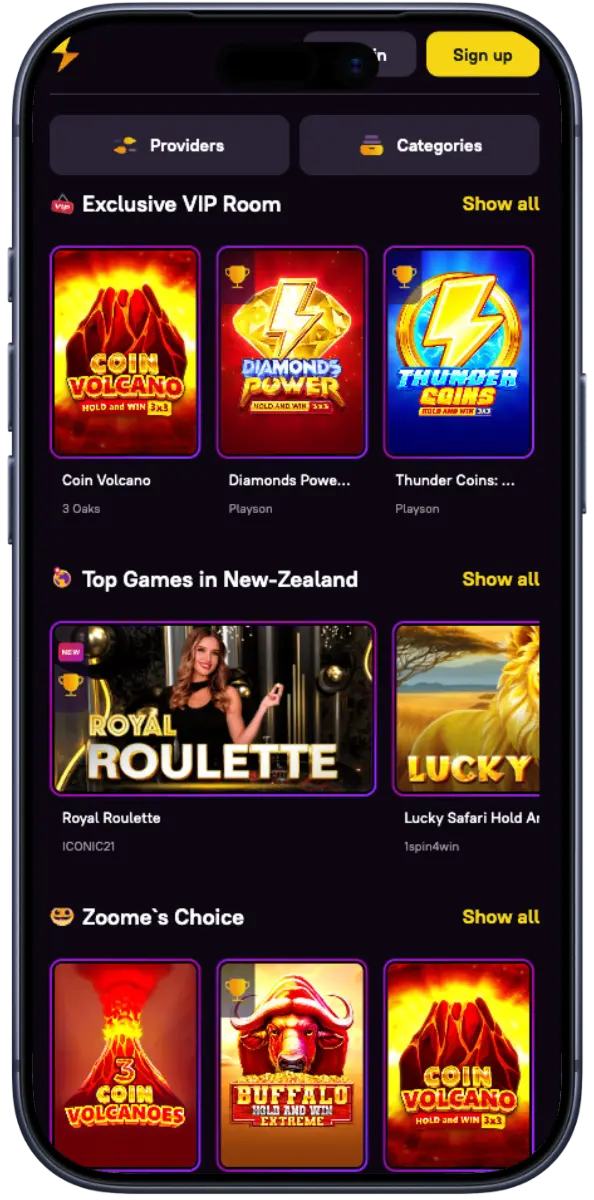
Our mobile layout is simple, clean and easy to follow. When you launch the tool, you get two types of headers. The main sub-headers give you one-touch access to our providers, top games, and more. With the Zoome mobile app sidebar menu, you can explore our tournaments, promotions and payment methods in greater detail.
Our software doesn’t just compress the information on the site into a smaller screen. Instead, it’s specifically designed with the capabilities of mobile devices in mind. That’s why this program is more touch-responsive and distributes its content differently.
Kiwis can use the Zoome Casino mobile app to manage their account more efficiently, too. For example, you can click on “Profile” in the sidebar to track your wallet and control your personal information. You can even enable receiving emails and SMS notifications for special bonuses and events right from there.
Overall, you can make your gambling session more convenient with our tool.
Zoome Casino App Login, Registration and Deposit
Kiwis will be able to join our casino and even fund their accounts for the first time straight from your smartphone. To set up your profile, just launch the tool and click on “Sign Up”. Once you complete that process, tap the “Deposit” button, and you can credit your bankroll in less than 30 seconds.
On the Zoome Casino app registration page, enter your email and a strong password. Tick the age verification box and tap “Sign Up”. After that, you only need to provide your first and last name, date of birth, city and phone number. Once you save this data and verify your account, you can access the best gaming platform in the country.
The procedure of Zoome Casino app login is as simple as using a desktop. Just go to the website, click on the login button and enter your login details. Then finish the procedure by clicking on the “Sign In” button.
Funding your bankroll is just as easy. Tap “Deposit” and choose from numerous payment providers on the Zoome mobile app, like Mastercard, Neosurf, Skrill and BTC. The minimum deposit limit ranges between 20 NZD and 30 NZD or its equivalent in other currencies.
Pros of Playing from Mobile
The many advantages of the Zoome Casino mobile app include:
- Easier access to the 12,000+ selections.
- Highly responsive user interface and optimised touch controls.
- Access to rewarding bonuses and promotions.
- Faster and more secure payment solutions.
- The Zoome app connects you to our customer support team more efficiently.
- Smoother live dealer casino experience on the go.
- Faster reload times for even better immersion.
- Real-time notifications for the latest games, tournaments and events.
- Timely updates and patches for enhanced security during your sessions.
Zoome Casino Mobile App Bonuses for Kiwis
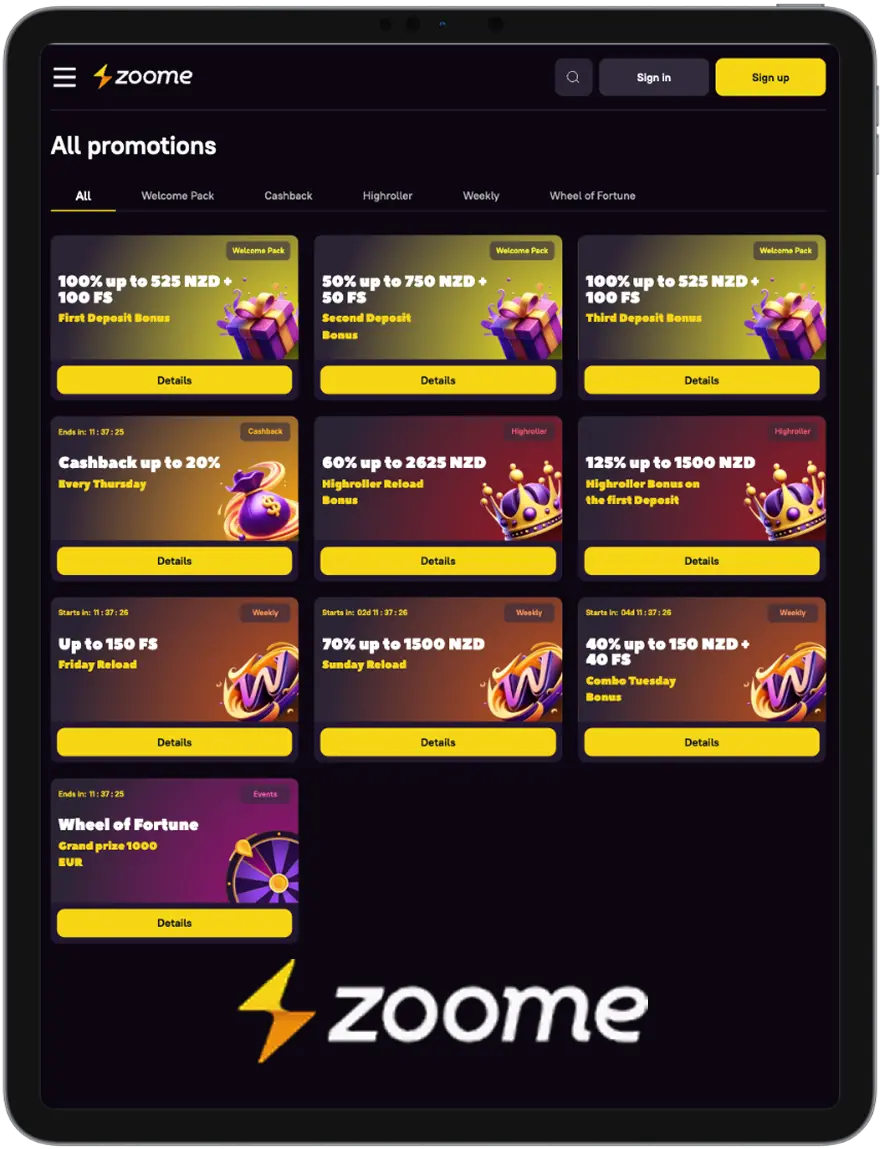
There are over eight active packages. These include the Welcome Package, Cashback Thursday and the Highroller Reload Bonus. All of these offers have a sufficiently lengthy validity period and player-friendly wagering requirements.
For example, the Welcome Pack offers New Zealanders 250% of their first three deposits. You can enjoy this Zoome app bonus without any codes, either. The maximum value of the prize caps at 1,800 NZD and 250 free spins.
Our program also lets you get up to 20% of your losses over the last 7 days with the Thursday Cashback deal. The only condition to this offer is that your total wager loss exceeds 1 NZD.
All it takes to trigger the Highroller Reload Bonus is simple. Just use the promo code “HIGHRELOAD” when you deposit at least 225 NZD. Doing so clears Kiwis to receive up to 60% of their credit. The max value of this gift is 2,625 NZD.
Security and Data Protection
Safety protocols like two-factor authentication (2FA) and biometric security support are available to New Zealanders. These can be activated by accessing the “Security” tab in “Profile”. We also update all Zoome mobile app features and services constantly. That way, no aspect of our software’s operation is vulnerable to attack.
As an added measure, we never collect intrusive personal information. Additionally, any data you provide on the app is closely guarded and stored on offline servers. We also make a point of never sharing user data under any circumstances.